



Looking for the easiest way to download a full youtube playlist online? You're not alone, millions of users search for “youtube playlist downloader online” every month because downloading videos one by one takes forever.
But not all playlist downloaders are equal. Some tools limit downloads, some fail on large playlists, and some simply don't work.
So in this guide, we tested 25+ online YouTube playlist downloaders and handpicked the best 8 that are fast, safe, and easy to use.
⚠️ Editor's Note: Before You Start
If you download full playlists often (music mixes, study lists, educational courses), online tools might struggle with speed or stability.
For heavy users, consider: iFoneTool EasyDown (Windows/Mac)
it is a powerful, safe, and ad-free software. It is engineered to handle entire playlists, channels, and albums on YouTube to MP3 with a single click.
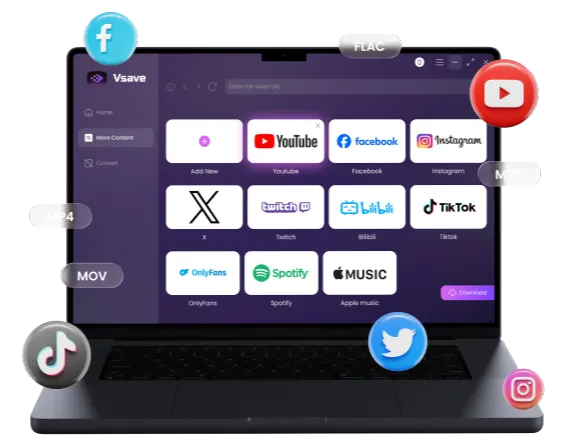
Quickly capture high-resolution YouTube playlists and convert them into any format you need.
 Free Download
  Free Download
 -
All-in-One Support: Download videos or audios from over 1000 sites and platforms. 4K/320kbps support.
-
Batch Downloading: Accepts Playlist, Channel, and Album URLs to download all content at once.
-
High-Quality Audio & Video: Supports extracting 320kbps high-fidelity MP3 audio and downloading videos in resolutions up to 8K.
-
Speed: Optimized algorithms ensure downloads don't fail halfway.
-
Safety: No ads, no watermarks, and no tracking.
👉 This is not an online tool, but the most stable solution for long playlists.
Let's see how it work:
Step 1: Download EasyDown
Download and install EasyDown by clicking the button below.
Step 2: Copy and Paste URL
Go to YouTube, find the playlist (or album), and copy the URL from the address bar. Paste the URL in EasyDown. Then Choose the output format as MP3 or other format you like.

Step 3: Start Download
Simply click the Download button to download YouTube playlist as MP3. EasyDown will take care of the rest. You can get the MP3 files in the Downloaded tab. Done!

With just a few simple steps, you can easily download any YouTube playlist as MP3 or MP4. If this still feels a bit troublesome, you can also try the online tools below.
Top YouTube Playlist Downloader Online (2026)
We tested these services based on speed, ad intrusion, and format support (MP3/MP4).
Best Overall - Ddownr
Ddownr performs better than most competitors in the “fully online” category. It consistently parses playlists and offers multiple output formats. The biggest limitation is that it cannot bulk-download with a single click, you must manually download items one by one.


-
 Easy-to-navigate interface
 - No messy banner ads across the screen
- Up to 8 quality/format options
- Parsing success rate higher than most tools

-
 No real playlist batch download
 - Each download click triggers an external ad redirect
- Time-consuming for playlists with many videos

Ddownr is currently one of the few functioning playlist downloaders that hasn't degraded into aggressive redirect behavior. Still far from perfect, but usable.
Runner-Up - YTMultiDownloader
Among all tested tools, YTMultiDownloader is one of the safest (no pop-up ads, no misleading buttons). It successfully parses playlists but only allows downloading videos one at a time.

- Ad-free and clean
- Playlist parsing success rate is high
- Simple and intuitive UI
- Clear audio format separation
- No batch download
- Download speed is slower compared to competitors
If the your top concern is avoiding ads and malware risk, this service stands out. But its speed and batch limitations prevent it from ranking #1.
Good but Not Convenient - YouTubePlaylist.cc
YouTubePlaylist.cc stands out with its playlist organization features, allowing you to fine-tune formats for each video. However, the UI is cluttered and many functions are locked behind a login and upgrade.

- True batch download supported
- Can set individual formats per video
- Clear step-by-step guidance for first-time users
- Login required for downloading
- Free plan capped at 720p 60fps
- Playlist download limited to MP3/MP4
- Upgrading does not unlock significantly more value
- Interface feels heavy and outdated
The ability to customize downloads per video is rare among online tools. But the login friction and product limitations prevent it from being a “top” recommendation.
Mixed Performance - SaveFrom.net
SaveFrom.net remains popular in Google searches, but since it's blocked in the United States, users must use a VPN to access it.

- Very fast parsing
- Simple, beginner-friendly workflow
- Region-blocked in U.S.
- Video quality maxes out at 720p
- Does not support high-quality playlist downloads
Given its limitations and block status, it's not a strong playlist downloader choice for 2026, though still usable for quick, low-quality grabs.
Poor Results YouTube Playlist Downloader Online
Loader.to
Loader.to is a popular online YouTube playlist downloader, but its real performance in 2026 is extremely inconsistent. In multiple tests, playlist downloads failed entirely despite the tool claiming to support full playlist conversion with subtitles.
- High number of pop-up ads
- Malicious-looking redirects
- Playlist downloads failed in all tests
- Parsing sometimes succeeds but download never completes
Over the past year, many users report the same problems—Loader.to's infrastructure appears no longer maintained.
Y2Mate.pro
Fast parsing, but the page of Y2Mate.pro is overloaded with advertisements—so much so that clicking anywhere triggers a redirect.
- Aggressive ad behavior
- Files fail to download due to redirect interruptions
- Low safety confidence
Search visibility remains high, but user trust has dropped sharply due to security concerns.
MP3FY
The tool failed to parse both playlists and single links, making it unusable.
- Playlist parsing fails
- Video parsing also fails
- Not functional in current state
Once a popular converter, but completely unreliable today.
Quick Guide: Managing Your YouTube Playlists
To make downloading easier, here is how to organize your content first.
How to create a video playlist on YouTube
- Find a video you want to save.
- Click the "Save" button (usually under the video player).
- Select "Create new playlist".
- Enter a name (e.g., "My Offline Music") and set privacy to "Public" or "Unlisted".
How to add video to playlist YouTube
- Go to any video you wish to add.
- Click "Save".
- Check the box next to the playlist you created earlier.

Pro Tip: Once your playlist is ready, copy the playlist URL and paste it into iFoneTool EasyDown to save the whole thing instantly.
Frequently Asked Questions
Is it safe to use a YouTube playlist downloader online?
It depends. Many free sites rely on aggressive ad networks that can contain malware. Always use an ad-blocker or switch to dedicated software like iFoneTool EasyDown for 100% safety.
Can I download a 'Private' YouTube playlist online?
Most online tools cannot access private playlists because they don't have your login credentials.
What is the best format for playlists?
If you are saving music, choose MP3 (320kbps). If you are saving movies or tutorials, MP4 is the most compatible format for TVs, iPhones, and computers.
Can I convert a youtube playlist to mp3 online?
Yes. If you are saving music, you can use online tools, but ensure you choose MP3 (320kbps) for the best quality. Note that many online tools compress audio to save bandwidth.

Whether you choose a quick online converter like Ddownr or invest in the robust performance of iFoneTool EasyDown, saving playlists is the best way to enjoy content offline. For small, one-time tasks, go online. For building a massive, high-quality library, go with the desktop software.
You may also like: