



Finding a reliable YouTube to MP4 4K converter in 2026 is harder than it looks. While many online tools claim to support Ultra HD, most end up delivering compressed 1080p files or videos with missing audio due to YouTube's complex VP9/AV1 encoding.
To save you from trial and error, our editorial team spent 40+ hours testing 15 different tools on macOS and Windows. We measured conversion speed, bitrate preservation, and file integrity to ensure you get true 2160p quality. Here is our vetted list of the top 6 YouTube to MP4 4K downloaders that actually deliver on their promise for offline viewing and high-end editing projects.

Editor's Choice: Pro-Grade 4K Video Converter
Most 4k downloader tools claim to support 4K but only give you a blurry 1080p file. We tested iFoneTool EasyDown with a 1-hour 4K video, and it worked perfectly on the first try. It’s fast, keeps the video crystal clear, and most importantly, it doesn’t come with any annoying ads or hidden malware.
Quickly capture high-resolution videos up to 8K and convert them into any format you need
 Free Download
  Free Download
 -
All-in-One Support: NDownload videos or audios from over 1000 sites and platforms. 4K/320kbps support
-
Batch Downloading: Accepts Playlist, Channel, and Album URLs to download all content at once.
-
High-Quality Audio & Video: Supports extracting 320kbps high-fidelity MP3 audio and downloading videos in resolutions up to 8K
-
Super Fast: Optimized algorithms ensure downloads don't fail halfway
-
Safety: No ads, no watermarks, and no tracking.
Let's see how it work:
- Step 1: Download EasyDown.
Download and install EasyDown by clicking the button below. - Step 2: Copy and Paste URL.
Go to YouTube, find the video (or playlist), and copy the URL from the address bar. Paste the URL in EasyDown. Then Choose the output format as MP4(4K) or other format you like. - Step 3: Start Download.
Simply click the Download button to download YouTube video as 4K MP4. EasyDown will take care of the rest. You can get the MP4 files in the Downloaded tab. Done!


With just a few simple steps, you can easily save any 4K YouTube video to your PC/Macbook. If you prioritize raw speed and 1:1 pixel quality, this is the tool to keep. For other specific needs (like browser-based tools), see how our other top picks stack up in the table below.
How We Tested the Best YouTube to MP4 4K Downloaders
To keep results fair and consistent, all tools were tested using the same conditions.
Test setup
- Test video: a 1 hour 4K 2160p YouTube video
- Internet speed: 100 Mbps stable fiber connection
- Device: Windows 11 laptop with RTX 4060 GPU
- Tests: Each tool tested three times
Quick Comparison Table
After testing several popular tools, we selected the top six YouTube to MP4 4K converters. The comparison table below gives you a clear overview of their performance
Tips: Click on the tool name to view more detailed information.
| Tool | Core Features | Data Provided | Platform | Pricing | Best For |
|---|---|---|---|---|---|
| 🔥EasyDown | Lossless 4K MP4, ultra-fast engine, batch downloads | Full resolution options, metadata (ID3), TV-series parsing | Windows | Limited free trial | Most users |
| 4K Video Downloader+ | 4K MP4 downloads, Smart Mode | Resolution presets, 3D & 360-degree support | Windows, macOS, Linux, Android | Freemium | Casual users |
| yt-dlp | Advanced CLI downloader with full codec control | Full audio/video stream details, subtitle options | Windows, macOS | Free | Advanced users |
| VideoProc Converter AI | 4K MP4 conversion, GPU acceleration, editing tools | Video quality settings, AI upscaling, format controls | Windows, macOS | Limited free trial | Editing-heavy workflows |
| Downie 4 | 4K downloads with drag-and-drop simplicity | Resolution options, history sync via iCloud | macOS | Trial | Mac users |
| Vsave | Lossless 4K MP4, ultra-fast engine, batch downloads | Full resolution options, metadata (ID3), TV-series parsing | Windows, Android, iOS | Limited free trial | Most users |
Top 5 YouTube to 4K MP4 Converters: Expert Test
4K Video Downloader -- Batch YouTube to 4K MP4 Pro
Support: Windows, macOS, Linux, Android
4K Video Downloader has been a well known option for years. The new Plus version improves performance and introduces a cleaner interface. It handles YouTube 4K to MP4 conversion decently and offers a convenient smart mode that automatically applies your preferred settings.
However, the free tier recently received new restrictions. Free users can only download ten videos per day, reduced from thirty, which may be limiting for heavy users.


-
 Supports downloading 3D and 360 degree videos
 - "Smart Mode" for one-click downloads.

-
 Downloading playlists is locked behind a paywall
 - Interface still feels a bit outdated
- Each download opens the progress page, which interrupts the workflow

Recommended only for bulk archiving. The interface feels like a relic from 2015, and the workflow is fragmented. It’s a powerful tool, but the constant prompts and secondary windows make it exhausting for downloads.
[ 📚 Further Reading ]Master Guide: Best YouTube Playlist Downloader Online: Fast & No Install Required
Vsave -- Mobile-Friendly YouTube to MP4 Converter 4K
Support: Windows, Android, iOS
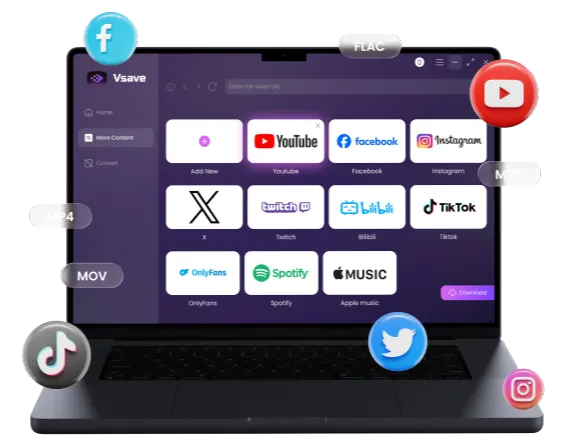
If 4K Video Downloader+ is known for its stable desktop performance, Vsave positions itself differently. It focuses on cross-device flexibility and is one of the few YouTube to MP4 4K downloaders that fully supports iPhone and other iOS devices.
While most downloaders in this list prioritize desktop features, Vsave fills an important gap. Users who want to save 4K videos directly on their phones without transferring files from a computer will find it especially convenient.

- Extremely fast download speed
- Supports downloading content from more than 1000 platforms
- Supports playlist downloads
- Wide selection of formats and quality options
- No macOS desktop version
- Requires installing the app
A rare mobile-browser tool that isn’t a minefield of aggressive ads or redirects. While the speed significantly throttles for 4K files over 5GB, it remains the most viable solution for mobile users right now.
yt-dlp -- Pro Tool to Convert YouTube to MP4 4K
Support: Windows, macOS
If you are familiar with command line tools, yt-dlp is unmatched in raw power. It is open source, updated constantly, and capable of bypassing throttling limitations on YouTube.
yt-dlp is incredibly powerful. It can bypass almost any throttling speed limit YouTube applies. It gives you granular control over exactly which video and audio streams you want to merge. If you want to convert youtube to mp4 4k and embed specific subtitles while removing sponsored segments, yt-dlp can do it. However, there is no graphical interface.
- Completely free and open-source.
- Updates extremely fast when YouTube changes algorithms.
- Unmatched customization.
- No graphical interface (requires terminal knowledge).
- Requires installing FFmpeg separately for 4K merging.
Highly recommended for developers and geeks. However, the conversion process requires you to manually manage FFmpeg dependencies. If you aren't comfortable with technical troubleshooting, you will find this tool incredibly frustrating.
VideoProc Converter AI -- AI YouTube to MP4 4K Converter
Support: Windows, macOS
VideoProc Converter AI markets itself as a complete video processing toolbox. It is not just a youtube to mp4 4k converter; it is also an editor, compressor, and recorder. The highlight of VideoProc is its Level-3 Hardware Acceleration. It utilizes your computer's graphics card (NVIDIA, AMD, or Intel) to speed up the conversion process.
Recently, they added AI features to upscale low-resolution videos. While this is impressive, the interface can feel a bit cluttered if you only want to download a simple video.

- Excellent GPU acceleration support.
- Includes tools to cut, trim, and edit videos.
- AI upscaling capabilities.
- The interface is complex for simple tasks.
- Free trial is limited by video length (usually 5 minutes).
Excellent for "fixing" low-quality source files, but far too heavy for standard downloads. The interface feels like an airplane cockpit—overwhelming with buttons you'll likely never need for a simple MP4 extraction.
Downie 4 -- Native Mac Tool for YouTube 4K to MP4
Support: macOS only
For users deep in the Apple ecosystem, Downie 4 is a fantastic piece of software. It is a Mac-exclusive app that integrates beautifully with macOS design standards.
Downie supports drag-and-drop functionality. You can drag a link from Safari directly onto the Downie icon in your dock to start the download. It handles 4K resolution well and can send the video to a companion app called Permute if you need advanced conversion options. Since it is Mac-only, Windows and Android users are out of luck.

- Beautiful native macOS interface.
- Simple drag-and-drop operation.
- iCloud synchronization for history.
- Not available on Windows or Android.
- The conversion process requires an additional app, which makes the workflow less convenient
Not recommended if you want a true all-in-one experience. While the download is fast, the actual conversion process requires an additional app (Permute), which makes the workflow significantly less convenient than integrated.
[ 📚 Further Reading ] Master Guide: Download Music from YouTube to Mac: The Easiest Desktop Solutions
FAQs about Youtube to MP4 4K Converter
Does using EasyDown put my YouTube or Google account at risk?
No. EasyDown works locally and does not require account login.
Does EasyDown support batch 4K downloads?
Yes. It can batch download videos in 4K as long as the source supports it.
Does EasyDown support YouTube 4K 60fps or HDR?
Yes. EasyDown downloads 4K 60fps and HDR if they are available in the original YouTube stream.
Are the tools in this article free to use?
Most offer a free tier or trial, but advanced features often require a paid plan.

For pure technical power, yt-dlp is a beast, but it requires coding skills. For Mac loyalists, Downie is a great aesthetic choice.
However, for the vast majority of users who simply want a fast, safe, and reliable way to download youtube 4k to mp4 without restrictions, EasyDown is the clear winner in 2026. Its ability to parse TV shows, its lightning-fast download speeds, and its commitment to security make it the essential tool for any video enthusiast.
You may also like: