



In 2026, audio quality is more important than ever for audiophiles, content creators, and editors. While MP3 is common, it is a "lossy" format. If you want to preserve every detail of a track, YouTube to WAV is the ultimate choice. WAV files are uncompressed, ensuring you get the same depth and clarity as the original source.
We have tested the most popular tools this year to help you find the perfect YouTube to WAV Downloader that delivers best quality without the hassle.
Most Recommended High Quality YouTube to WAV Converter
After testing countless online converters, I realized they all work, but none feel smooth. They are either slow, full of ads, or compress the audio quality secretly.
Then we found EasyDown Music Downloader. While it's famous for streaming video, it has quickly become my go-to for high-fidelity audio extraction. EasyDown is not just for Twitch; it works perfectly with YouTube, TikTok, and Soundcloud. It is fast, ad-free, and incredibly easy to use. You just install, paste your link, and hit download.
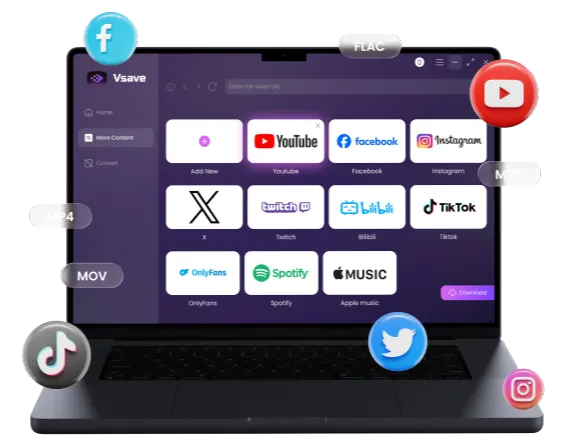
Fast, ad-free, and no limits. Download high-quality WAV, MP3, and 4K video from YouTube, Twitch, and more.
 Free Download
 Free Download
-
All-in-One Support: Download videos or audios from over 1000 sites and platforms. 4K/320kbps support.
-
Batch Downloading: Accepts Playlist, Channel, and Album URLs to download all content at once.
-
High-Quality Audio & Video: Supports extracting 320kbps high-fidelity MP3 audio and downloading videos in resolutions up to 8K.
-
Speed: Optimized algorithms ensure downloads don't fail halfway.
-
Safety: No ads, no watermarks, and no tracking.
We often use it to archive audio libraries and re-edit them into short videos for YouTube Shorts, and it has never failed us.
Top 5 Free Online YouTube to WAV High Quality Converters
Here are the most effective online WAV converters we've found so far. All of them are free to use, but quality varies greatly. Follow our reviews to pick the right one.
wav.ninja - Visual YouTube Video to WAV Converter
Wav.ninja is a YouTube to WAV converter that doubles as an intuitive online editor. Its standout feature is the visual audio waveform generated after parsing a link, allowing you to drag and select specific segments before downloading. By eliminating the need to download entire audio files for secondary editing, it's a massive time-saver for creators who only need specific background samples or dialogue clips, effectively streamlining the workflow while saving storage space.


-
 High Spectrum Fidelity: Output WAV is extremely clean with no re-encoding artifacts.
 - Minimalist & Pure: No ads, highly intuitive interface.
- Waveform Preview: Allows trimming before download, a godsend for sampling.

-
 Duration Limit: Strict limit (under 2 hour).
 - Single Task: Does not support batch playlist downloading.

Wav Ninja is great for a quick, ad-free download, but it lacks batch processing and bitrate control. If you need professional-grade 4K audio without the 2-hour limit, EasyDown Music Downloader offer more "heavy-duty" performance.
HireQuotient - High Quality YouTube to WAV Tool
HireQuotient is a professional YouTube to WAV converter built for high-fidelity audio extraction. Its standout feature is a lossless conversion algorithm that preserves every detail of the original source, ensuring crystal-clear output with professional depth. By eliminating the compression artifacts found in standard downloaders, it allows creators and audiophiles to grab studio-quality samples directly from their browser, ready for immediate use in any high-end production.

- Completely Ad-Free: Extremely clean page, no deceptive buttons.
- Batch Support: One of the rare web tools supporting batch link parsing.
- Fast Speeds: Backed by enterprise-level servers.
- Fluctuating Success Rate: Slower fixes when YouTube updates algorithms.
- Basic Features: Almost no advanced audio parameters (like sample rate) to adjust.
Downloaderto - Fast Download from YouTube to WAV
Downloaderto a straightforward, free YouTube to WAV converter built for high-speed performance. Its standout feature is its powerful server-side parsing, which can process even multi-hour videos and generate a download link in seconds. This reliability fixes the common issue of tools crashing or lagging on long-form content, allowing you to quickly grab large audio files without the frustrating wait times.

- Free & No Registration: No account creation or plugin installation required.
- Wide Format Support: Supports WAV, MP3, M4A, FLAC, and other popular audio formats.
- WiIntuitive Interface: Simple navigation with no complex settings to configure.
- No Metadata Editing: Downloaded files lack ID3 tags like album art, artist, or track info.
- Ad Redirects: Clicking the download button may trigger third-party pop-ups or page redirects.
Cobalt.tools - Ad-Free YouTube to WAV Converter Free
Cobalt.tools is a privacy-centric YouTube to WAV converter known for its streamlined and secure interface. It is entirely free of ads, trackers, and intrusive pop-ups, providing a "no-nonsense" environment for audio extraction. This clean approach removes the risk of clicking malicious links and cuts down the time spent grabbing WAV files, making it the top choice for users who value efficiency and digital safety.

- Top Quality Source: Prioritizes itag 251 (Opus) audio tracks.
- 100% Safe: Open source, no ads, no tracking, no malware.
- Speed: No countdowns, no queues, instant processing.
- WAV Header Bug: Rare compatibility issues with very old hardware players.
Yout - Fast YouTube Link to WAV Converter
Yout is a uniquely efficient YouTube to WAV converter. Its standout feature is the "URL trick" integration, which allows you to jump straight to the extraction page by simply deleting the letters "ube" from any YouTube link in your address bar. This seamless interaction makes collecting audio samples as natural as turning a page, significantly boosting efficiency for creators gathering scattered clips.

- Instant Access: The unique "URL trick" (deleting "ube") is the fastest way to start a conversion.
- Metadata Editing: Supports custom titles and artist tags before you download.
- Quality Caps: Free users are limited to 128kbps; 320kbps high-fidelity audio requires a paid plan.
- Usage Limits: Free downloads are restricted to just 3 tracks per hour.
- No Batch Support: Cannot convert entire playlists; each video must be processed manually.
Quick Comparison
To help you easily compare the pros and cons of each WAV downloader, we've updated our comparison table.
| Tool | Best For | Ads | Speed | Quality | Rating |
|---|---|---|---|---|---|
| EasyDown | Batch & Best Quality | None | Ultra Fast | Lossless WAV | ⭐⭐⭐⭐⭐ |
| Wav.ninja | Visual Trimming | Minimal | Medium | High (Opus) | ⭐⭐⭐⭐ |
| HireQuotient | Stability | None | Fast | Standard | ⭐⭐⭐ |
| Downloaderto | Long Videos | Some Pop-ups | Fast | Standard | ⭐⭐⭐ |
| Cobalt.tools | Privacy & Safety | None | Very Fast | Medium | ⭐⭐⭐⭐ |
| Yout | URL Shortcuts | None | Fast | 128kbps (Free) | ⭐⭐ |
As shown above, while many platforms provide quick one-off conversions, they often struggle with playlist downloads or audio compression. If you're looking for a professional-grade solution that guarantees lossless WAV quality and supports high-speed batch processing without ads, EasyDown is the clear winner
Stop thinking and give EasyDown a try by clicking the button below!
FAQs About YouTube to WAV Converter
Does converting to WAV improve sound quality?
No. It simply preserves the original audio quality without adding new compression artifacts. You cannot create quality that wasn't in the source video
WAV vs. MP3 - Which should I choose?
Use WAV for video editing and archiving (lossless quality). Use MP3 for phone storage and casual listening (smaller file size).
Why is the WAV file size so big?
WAV is uncompressed. A 3-minute song can be 30MB, whereas an MP3 is only ~5MB. This larger size ensures zero data loss during editing.
Final Thoughts on the Best YouTube to WAV Downloader

In 2026, a reliable YouTube to WAV downloader is a must-have for anyone who values sound. While online tools like Cobalt.tools are great for occasional use, EasyDown is the clear winner for those seeking the best quality, fastest speeds, and a secure experience.
Ready to hear the difference? Give EasyDown a try by clicking the button below!
You may also like: