



In 2026, finding the safest YouTube to MP3 converter has become increasingly difficult. As YouTube constantly upgrades its anti-scraping mechanisms, many legacy online tools have begun embedding aggressive malicious redirects, deceptive notifications, and even distributing Trojans to survive.
To help you mitigate these risks, we have tested hundreds of download tools. Based on real testing data, we have filtered out the noise to bring you the definitive list of the safest YouTube to MP3 websites and software that actually protect your privacy.

🏆 Editor's Choice — The Zero-Risk YouTube to MP3 Tool
iFonetool EasyDown - Professional Grade Security & Quality
Why gamble with browser pop-ups every time you need a song? iFonetool EasyDown isn't just a converter; it's a dedicated media manager that runs locally on your PC/Mac. This creates a physical barrier between your computer and the malicious scripts found on web-based converters.
- Security Level: 🛡️ 100% Virus-Free
- Best For: Music collectors who value high bitrate and clean metadata.
Why it Wins: While online tools struggle with single links, EasyDown offers "One-Click Playlist Migration." Imagine downloading an entire YouTube playlist (500+ songs) to MP3 in 320kbps while automatically fixing the artist name, album art, and tags. No ads, no waiting, and absolutely no risk. It is arguably the safest YouTube to MP3 converter for long-term use.
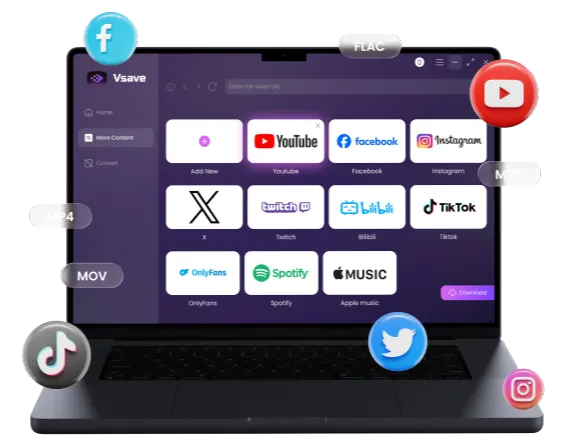
Escape web pop-ups and virus threats, and enjoy one-click batch downloading of YouTube playlists to MP3. Supports 320kbps high-quality audio and is compatible with 1,000+ popular platforms.
 Try EasyDown Risk-Free
  Try EasyDown Risk-Free
 Top 12 Safest YouTube to MP3 Websites
If you only need to grab a quick sound effect or a meme audio and prefer not to install software, we've identified the "cleanest" web-based tools currently available. We ranked these based on ad intrusiveness and parsing success rates.
CnvMP3 - The Cleanest Online Converter of 2026
Official Website:cnvmp3.com
Safety Rating:⭐⭐⭐⭐⭐
In-Depth Review: CnvMP3 is one of the few tools operated via a "Buy Me a Coffee" donation model. This means it does not rely on high-risk ad networks to survive. The interface is extremely minimalist with no deceptive buttons. It earned a rare 4.9 score on Trustpilot and if you are looking for a reliable safest YouTube to MP3 website for a quick, one-off download, this is your gold standard in 2026.


-
 Completely ad-free with no malicious redirects.
 - Supports various bitrates (96kbps-320kbps).
- Can parse videos up to 3 hours long.

-
 Does not support downloading metadata.
EzMP3 - Fast Parsing Multi-Platform Tool
Official Website: ezconv.cc
Safety Rating: ⭐⭐⭐
In-Depth Review: EzMP3 stands out not just for safety, but for its built-in editor. If you only want the chorus of a song or a specific quote from a podcast, this tool lets you cut the video before converting.

- Provides a wide range of quality options (64-320kbps).
- Supports video trimming feature, allowing you to cut audio before downloading.
- Extremely fast link parsing speed.
- Download speed is relatively slow.
- Does not support bulk playlist parsing.
- Occasionally displays redirect pop-ups.
- Only supports MP3 conversion.

Once you have successfully saved your favorite music, the next step is enjoying it on the go. If you are unsure how to manage your library, check out our guide on 👉 how to organize and transfer downloaded MP3s to your phone seamlessly. Learn the easiest way to organize and sync your downloaded music to iPhone or Android.
OnlyMP3 - Dropbox Cloud Sync Support
Official Website: onlymp3.to
Safety Rating: ⭐⭐⭐⭐
In-Depth Review: If you are on an iPhone or iPad and don't want to clutter your local storage, OnlyMP3 is your best bet. Its integration with Dropbox allows you to bypass your device's file system entirely.

- Direct cloud upload saves phone storage.
- Intuitive interface with no registration required
- Supports long videos up to 6 hours
- Quality is fixed at 128kbps or 192kbps and cannot be customized
- Only supports MP3 conversion
YTMultiDownloader - Best Playlist Parsing Success Rate
Official Website: ytmultidownloader.com
Safety Rating: ⭐⭐⭐⭐
In-Depth Review: This is a truly "ad-free" site with no annoying pop-ups or misleading buttons. While it has a high success rate for parsing playlists, it still requires users to manually click download for each item.

- No pop-up ads or deceptive buttons
- Simple UI with clear separation of audio and video formats
- High success rate for parsing playlists
- No one-click batch download (requires manual clicking)
- Slower response time compared to competitors
Tired of Clicking 50 Times?
While some tools limit you to manual operation, you don't have to waste your time. Check out our expert roundup of the 👉 Top 8 YouTube Playlist online Downloaders for High-Speed Batch Saving Discover which tools allow you to save entire channels and playlists with a single click to save hours of your life.
Gettvid - Simple and Pure Online Choice
Official Website: gettvid.com
Safety Rating: ⭐⭐⭐
In-Depth Review: Gettvid is a reliable "backup tire." It's not fast, and it doesn't offer high quality, but if other sites are down, Gettvid is usually up and safe to use.

- Almost no intrusive ads
- Very easy to use
- Slow parsing and download speeds
- No 320kbps support
- High parsing failure rate
Ddownr - User-Friendly Navigation Download Site
Official Website: ddownr.com
Safety Rating: ⭐⭐
In-Depth Review: Ddownr has a very clear interface and higher parsing success rates than most tools. However, every click on the "Download" button triggers an external ad redirect, making it slightly less secure than top-tier options.

- Higher success rate than most tools
- Offers up to 8 different quality/format options
- Triggers redirect ads with every download click
- Very time-consuming for long playlists
Cobalt (Meowing Instance) - Best Looking YouTube To MP3
Official Website: cobalt.meowing.de
Safety Rating: ⭐⭐⭐⭐
In-Depth Review: Cobalt is an open-source project loved by Reddit users. It is incredibly clean, but often unstable because YouTube actively blocks its main instances. Using a mirror site (like Meowing) usually works.

- Completely free of ads and tracking
- Supports various advanced audio formats
- Slow audio parsing and download speeds
Loader.to - Online Playlist Parsing
Official Website: en.loader.to/4/
Safety Rating: ⭐⭐
In-Depth Review: One of the rare online sites supporting FLAC and WAV. However, clicking the format selector often triggers a pop-up.

- Diverse formats including 8K MP4 and lossless FLAC/WAV
- Ad redirects often occur after clicking convert
- Playlist support is claimed but often fails in practice
SaveFrom - Popular Beginner-Friendly Site
Official Website: en1.savefrom.net/16xF/
Safety Rating: ⭐⭐⭐
In-Depth Review: A classic tool that has sadly been blocked in the United States and UK. It is safe, but requires a VPN to access, which is often too much hassle for a simple MP3 download.

- Very fast parsing
- Simple, beginner-friendly workflow
- Region-blocked in the U.S.
- Video quality capped at 720p
- No high-quality playlist downloads
mp3ify - Unlimited Length Support
Official Website: mp3ify.com
Safety Rating: ⭐⭐⭐⭐
In-Depth Review: The biggest feature of mp3ify is its support for unlimited video length. It can handle 10-hour white noise or livestreams with great stability. Just be prepared to wait a long time for the server to process it.

- No duration limit
- Keyword search allows finding videos without copying URLs
- Online audio cropping supported
- Parsing and download speeds are both very slow
X2mate - Fast and Free YouTube Video Downloader
Official Website: x2mate.is/en62/
Safety Rating: ⭐⭐
In-Depth Review: X2mate is an all-in-one converter that supports multiple formats without installation, making it suitable for mobile use.

- Excellent performance on Android and iOS browsers
- Intuitive operation with video quality previews
- MP3 quality sometimes falls short of the 320kbps label
- No batch downloads
- Triggers new tab ad redirects
Y2mate / YTMP3 - The Common Compromise
Safety Rating:⭐
In-Depth Review: These are currently the highest-traffic conversion sites. While they parse quickly, we must warn that they contain aggressive redirect ads. Clicking download often triggers 2-3 third-party ad pages. We included them on this list only to warn you: click with extreme caution.

Stop! If you see a file ending in .exe or .iso from Y2Mate, delete it immediately. It is malware. For a 100% safe experience, consider switching to a desktop tool like iFoneTool EasyDown which never serves ads.
- Free and supports large file downloads
- Severe ad interference with false "Virus Detected" warnings
- Risk of misleading buttons and files downloading as .iso or .exe
- Audio quality doesn't reach 320kbps
- No ID3 tag preservation
Note: Still thinking about using Y2Mate? We strongly advise caution. Before you click, check out our full 👉 Y2Mate Review to understand why we rated it so poorly compared to other safer alternatives.
How to Identify a Safe Converter?
Regardless of which safest youtube to mp3 converter you choose, please pay attention to the following points:
- File Extensions: Music files should always end in .mp3 or .m4a. If the download ends in .exe, .zip, or .iso, stop and delete it immediately—these are 100% viruses.
- Notification Permissions: Never allow a conversion site to send you browser notifications, as these are often used for phishing and spam.
- Redirect Chains: Websites that frequently jump to unrelated pages (gambling, fake cleaners) should be blacklisted.

We've tested the web's most popular tools so you don't have to risk your data. Here is our final recommendation based on your specific needs:
- 🥇 For Absolute Safety & Playlists: iFonetool EasyDown (The only tool that guarantees zero ads and handles bulk downloads).
- 🥈 For Quick Single Downloads: CnvMP3 (Cleanest online interface).
- 🥉 For Mobile Users: OnlyMP3 (Direct Dropbox saving).
You may also like: